Once upon a time you wrote it perfectly. Nestwig makes sure you never write it again. One quiet keystroke and your words fly straight home to the Nest.
Your greatest hits, on permanent rotation
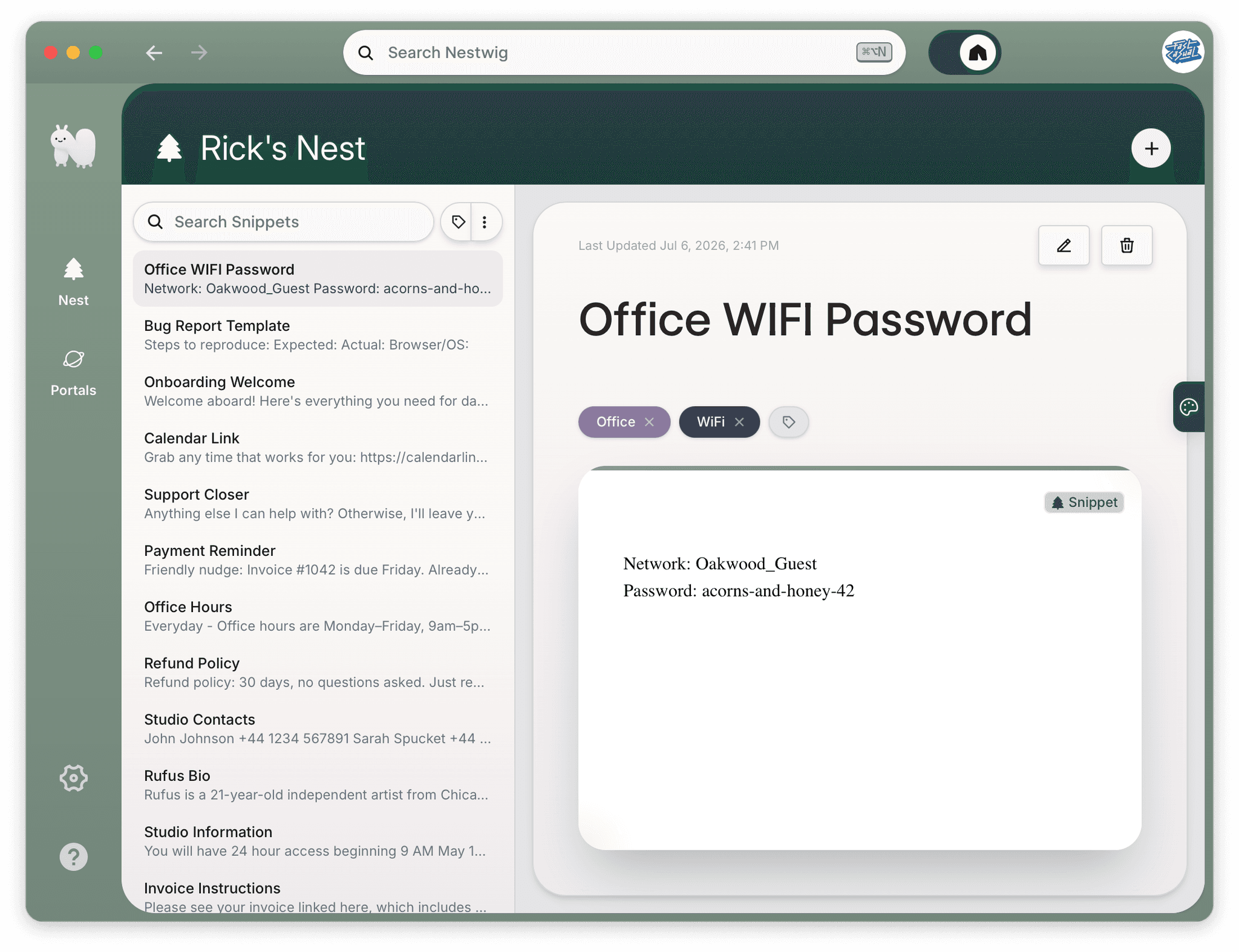
Be honest: you've typed your own phone number more times than you'd care to admit. Same with your refund policy, and that "per my last email" (the polite scream).These are snippets: the words you nail once and reuse forever. Trouble is, they live nowhere in particular, so you're always either retyping them or hunting through old emails.Not anymore.
You wrote it perfectly once. Why write it again?
You know the feeling. The reply you've written a hundred times, typed fresh again because where else would it be. Next time — one quiet hotkey and Nestwig lifts it straight from your clipboard and carries it home. Prefer to email her something? She checks the inbox. Want to write it from scratch? She's patient. However the word arrives, it stays.
Saved to your Nest
“Refund policy — 30 days, no questions asked.”
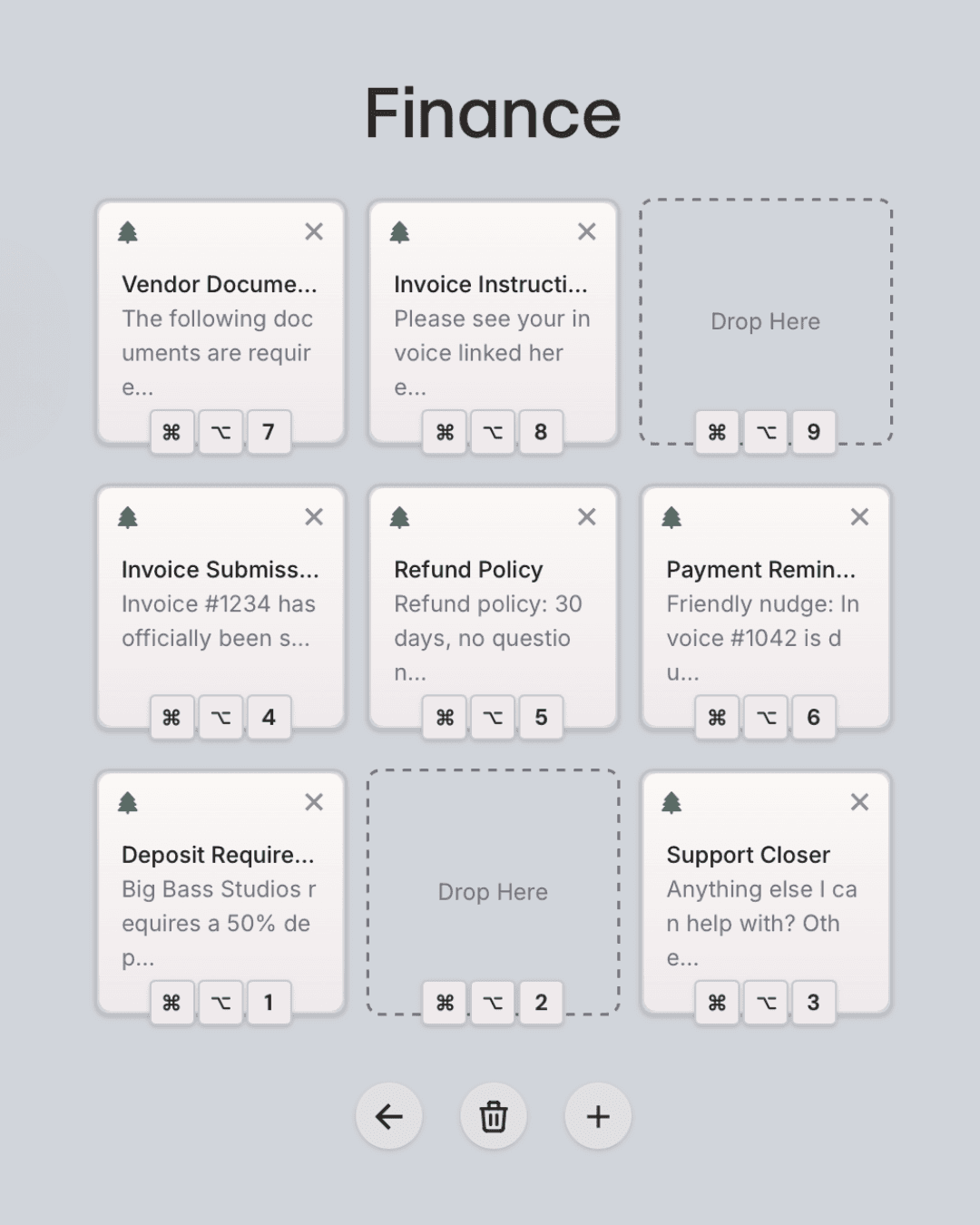
Nine snippets. One magical keystroke. Any app.
Tuck your most-reached-for phrases into a board of nine — your acorns for the day. Then, wherever you're working, press any of 9 hotkeys and Nestwig sets the right one down without a fuss. Keep one board for letters, one for the replies you send every single day, one for the bits your brain refuses to memorize. Switch between them in a click. Your fingers will wonder what they used to do.
Tidy by nature. Literally.
Nothing piles up here. Colored tags, a quick search, and Nestwig's quiet habits mean every word has its place. Snippets that arrive unnamed even get titled on their own — a small spell that runs while you work, so nothing languishes as “Untitled” at the bottom of the pile. Open the Nest on any given Tuesday and it's exactly as you left it.
Share a portal. One click to copy anything.
When a set of words is meant for someone else, Nestwig opens a Portal — a shimmering little page at its own address, ready for anyone you send it to. One click and they've copied what they need. No account, no friction, no forwarded email chains. Whisper it a codeword so only the right people may step through. Set it to vanish at midnight like a carriage. Or leave it open as long as you like.
The portal does what you say.
Welcome aboard! Here's everything you need for day one.
Book time with us anytime: nestwig.com/meet
Come build your Nest.
Nestwig is tidying the last few twigs.
Leave your email and our resident caterpillar will send word the second your Nest is ready. One little note, no noise, no forwarded chains.
No spam — just one letter when it's ready.